
 STINGER FIRM
The practice desk for a small civil firm.
Talk to Annabelle. She keeps the matters, the time, the estimates and the books of record, and there is a button for everything she does. She writes down only what a person names. She never gives legal advice.
Please read. Firm is office software, not legal advice. Synthetic demonstration shop. Not a law firm, not a court, not a filing portal. Annabelle is an AI and can be wrong. Check anything that matters before you rely on it.
What Firm does
Here is what Firm does.
- Takes in a new person and matter, checks the name against every name already on the desk, and holds the matter when a name may be the same person until someone says "same" or "distinct."
- Records the retainer and the signed engagement, and opens the matter only then. Time and invoices go on open matters.
- Logs time in minutes with the narrative you dictate, tasks on a matter, and fee estimates you can mark accepted.
- Records invoices, write-offs up to the invoice amount, and deadlines with the date and label you type.
- Keeps client trust money and the firm’s operating money as separate lines on every matter, records an instruction to move an amount between them, and keeps a reconciliation checklist a person marks.
- Walls off a matter so estimates, write-offs and copy releases on it are refused until a person says plainly that they are opening the wall.
- Keeps three paper logs: where each original sits, the notary journal, and the copy release log.
- Quotes seven vault notes: conflict check, engagement versus a consult, trust versus operating, retainers, earned fees, file releases, and retention and limitation dates.
- Downloads the whole desk as 14 plain-text papers, and saves the desk to the database so it comes back on reload.
Live
Open the desk.
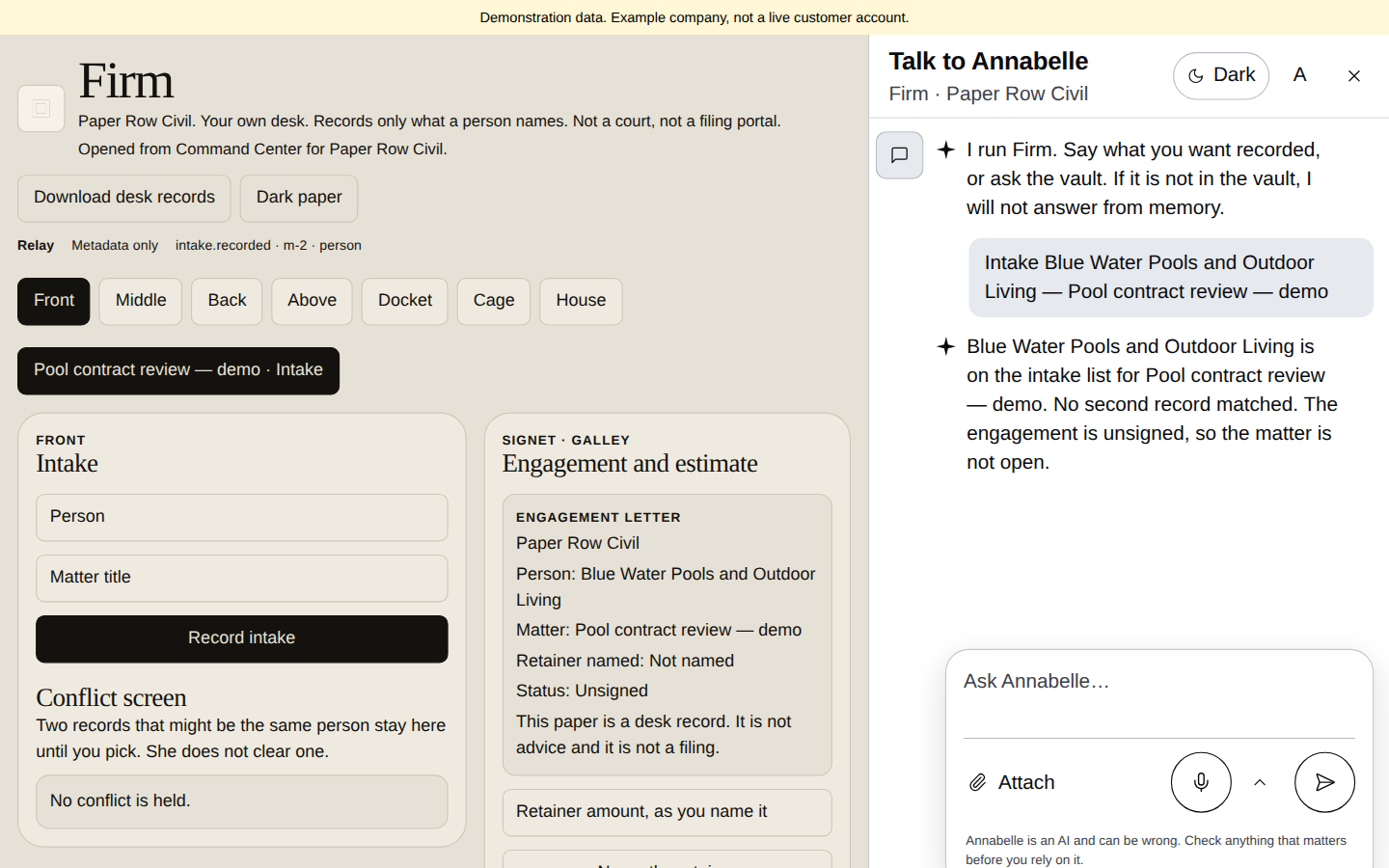
The Paper Row Civil demo desk shows Blue Water Pools and Outdoor Living as the intake client for a pool-contract review, with an unsigned engagement. Review the intake and engagement before opening the matter; the screen records the client without treating the unsigned engagement as complete.
What is on the desk
One desk for the work of a small firm.
Intake and conflict hold
Takes in a new person and matter. If a name may match someone already on the desk, the matter is held until a person decides.
Explore Intake and conflict hold →
Engagements
Keeps a consult apart from a signed engagement. A matter opens only when the engagement is signed.
Explore Engagements →
Time and estimates
Time entries with a narrative, tasks, and fee estimates you record and accept. An accepted estimate is not an invoice.
Explore Time and estimates →
Invoices
Invoices, write-offs and deadlines, all from amounts and dates a person names.
Explore Invoices →
Trust and operating record
Keeps client trust money and the firm’s operating money as two separate records, with a reconciliation checklist a person marks.
Explore Trust and operating record →
Walled matters
A matter can be walled off from the rest of the desk. It opens only when a person says so.
Explore Walled matters →
Originals, notary and release logs
Three logs for paper: where each original sits, the notary journal, and the copy release log.
Explore Originals, notary and release logs →
The vault
Seven short notes Annabelle quotes, each with a reminder to confirm the current rule. If the vault does not have it, she says so.
Explore The vault →
Desk papers
Download the whole desk as 14 plain-text papers. The desk is also saved to the database and comes back on reload.
Explore Desk papers →
Sign-in
The same sign-in as Command Center.
Staff use the same Stinger sign-in as Command Center. Signing in opens that person’s Firm portal, Practice, or House.
Please read
Firm does not practice law or file with a court. It is a record: it moves no money and does not calculate deadlines.
Pricing
Same plans, same checkout as Command Center.
Firm is bought the same way as the rest of Stinger, on the Command Center tiers. There is no separate Firm price.
Intake & conflicts
A matter opens only when conflicts and engagement are resolved.
Intake flags similar names
Intake creates the matter and a draft engagement, flags similar names, and holds the matter until a person resolves them.
Same or distinct, a recorded human call
A person records whether a similar name is the same or distinct; this is a recorded choice, not an independent conflict clearance.
Retainer and signed engagement required
A matter opens only once its retainer and signed engagement are recorded; no electronic-signature certificate is produced here.
Running a matter
Estimates, time, invoices and a wall when you need one.
Estimates, recorded and accepted
Prepare an estimate and record its acceptance separately from any invoice.
Tasks, time and dates you enter
Add tasks, time entries and dates yourself; the program does not calculate legal deadlines.
Invoices and bounded write-offs
Record invoices and limited write-offs on the matter.
Wall a matter, reopen with a phrase
A matter can be walled off locally and reopened only with a typed phrase; this is a desk guard, not multi-user access control.
Trust money & reconciliation
Trust and operating money, kept apart on paper.
Trust and operating money kept apart
Trust and operating money are recorded separately, and a transfer is an instruction on file; nothing moves at a bank from here.
A reconciliation checklist
Tick through a reconciliation checklist; the program does not make up balances.
Records, reference & storage
Paper logs, reference lookups, and one download of the desk.
Paper logs: originals, notary, copy release
Record where originals are kept, a notary-journal line and when a copy was released; no file is sent by marking it.
Reference questions, not advice
Look up reference material; results are reference text, not advice on your case.
One download of the whole desk
Download the whole desk as 16 files: matters, engagements, invoices, trust, journal, event log and more, including a journal CSV for the books.
Sealed storage under your company
Desk data is saved under your signed-in company and stored sealed.
What Annabelle will not do
Annabelle will not invent names, amounts or dates, move trust money, decide a conflict, notarize, file, or work out a limitation period.