
STINGER TIME TRACKING
The crew clocks in, on the job.
Time Tracking lets the crew clock in and out, built to keep working with limited connectivity on site.
What it is
Clock in and out, on the job.
The crew records their hours from the phone, built to keep working with limited connectivity.
What it does for you
Crew clock in and out
Hours are recorded from the phone instead of a paper time sheet at the end of the week.
Limited connectivity
Built to keep working on site; behavior with no signal varies by device.
On the same system
It runs inside the system that already holds the jobs and the crew, so the hours land where you need them.
GPS and geofence on every punch
A clock-in or clock-out is stamped with GPS and checked against the job's geofence, so the record shows whether the punch was actually taken at the job.
On screen
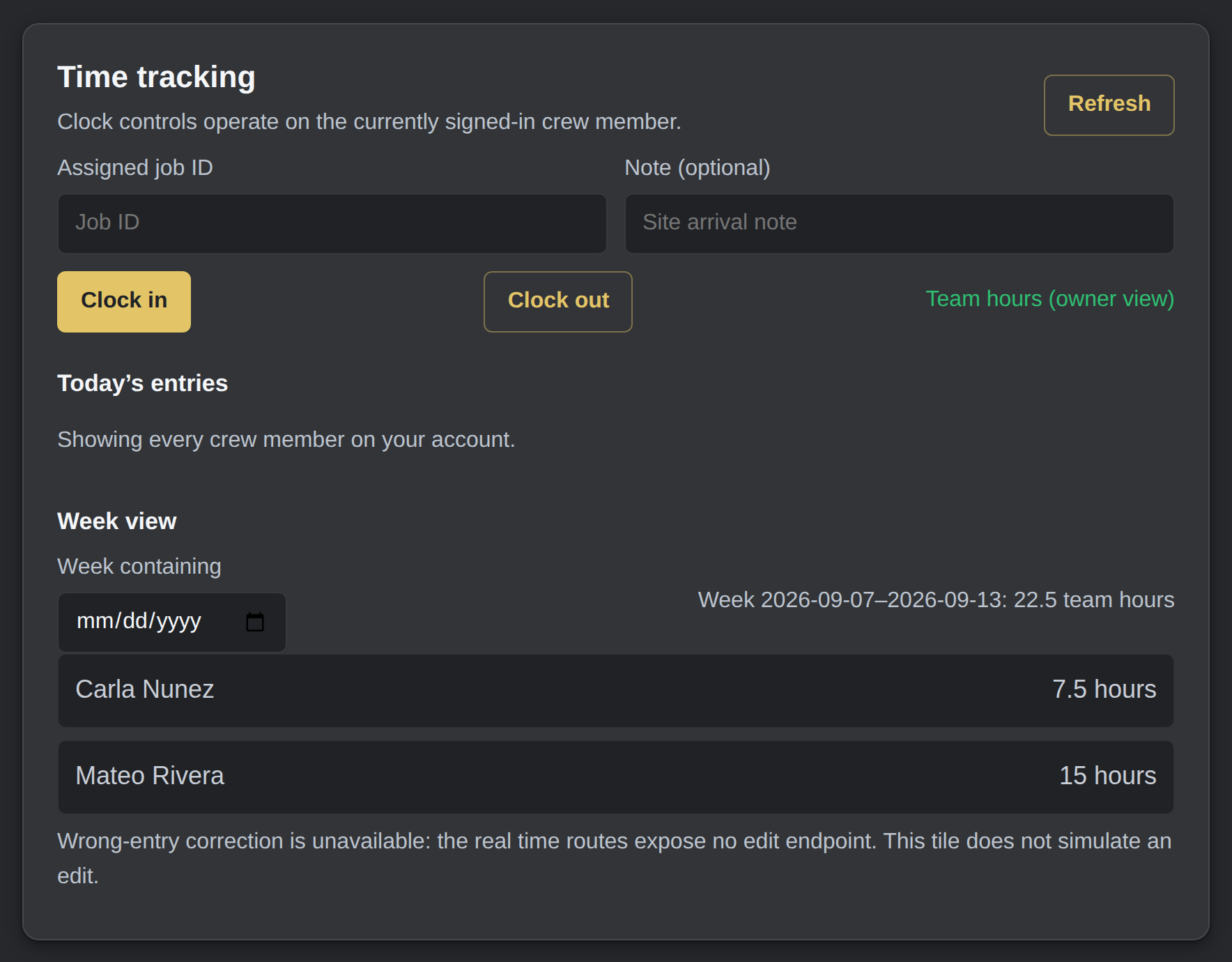
A clock-in, a day, and the week it adds up to.
The owner’s team view: every crew member on the account and the hours they logged, totalled for the week.
The owner’s team hours
Included
Included with every Command Center tier.
How it compares
Time Tracking against When I Work and Homebase.
When I Work and Homebase are dedicated scheduling and time apps. The plain difference here is that this is included with your Command Center tier and lives in the same system as the jobs and the crew, rather than a separate per-user or per-location subscription.
| Feature | Time Tracking | When I Work | Homebase |
|---|---|---|---|
| Crew clock in and out | Yes | Yes | Yes |
| Built to keep working with limited connectivity | Yes | App works with limited connectivity; varies | App works with limited connectivity; varies |
| Part of the system that already has the jobs and the crew | Yes | no: separate scheduling app | no: separate scheduling app |
| Extra per-user or per-location subscription | Included with every Command Center tier | Per-user monthly plan | Free tier plus per-location paid plans |
Competitor figures from each vendor's own pricing page, 2026-09-06. Prices change; re-verify before treating as evergreen.
Get started