
 STINGER QUILL
A writing studio that keeps your books apart.
Quill is the author app: each writer's books stay separate inside one database, so a shared install never mixes one author's work into another's.
Quill, as it actually looks
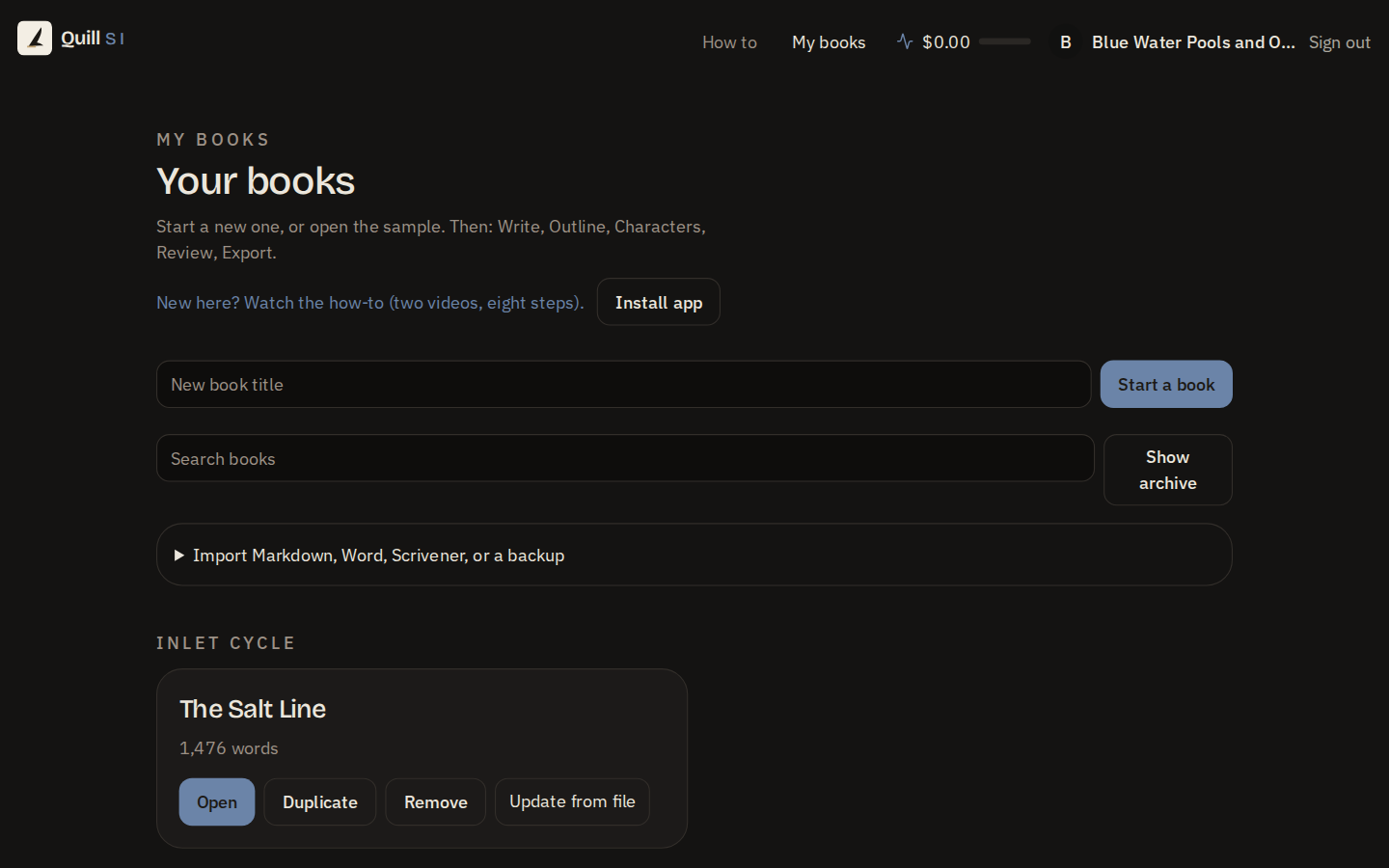
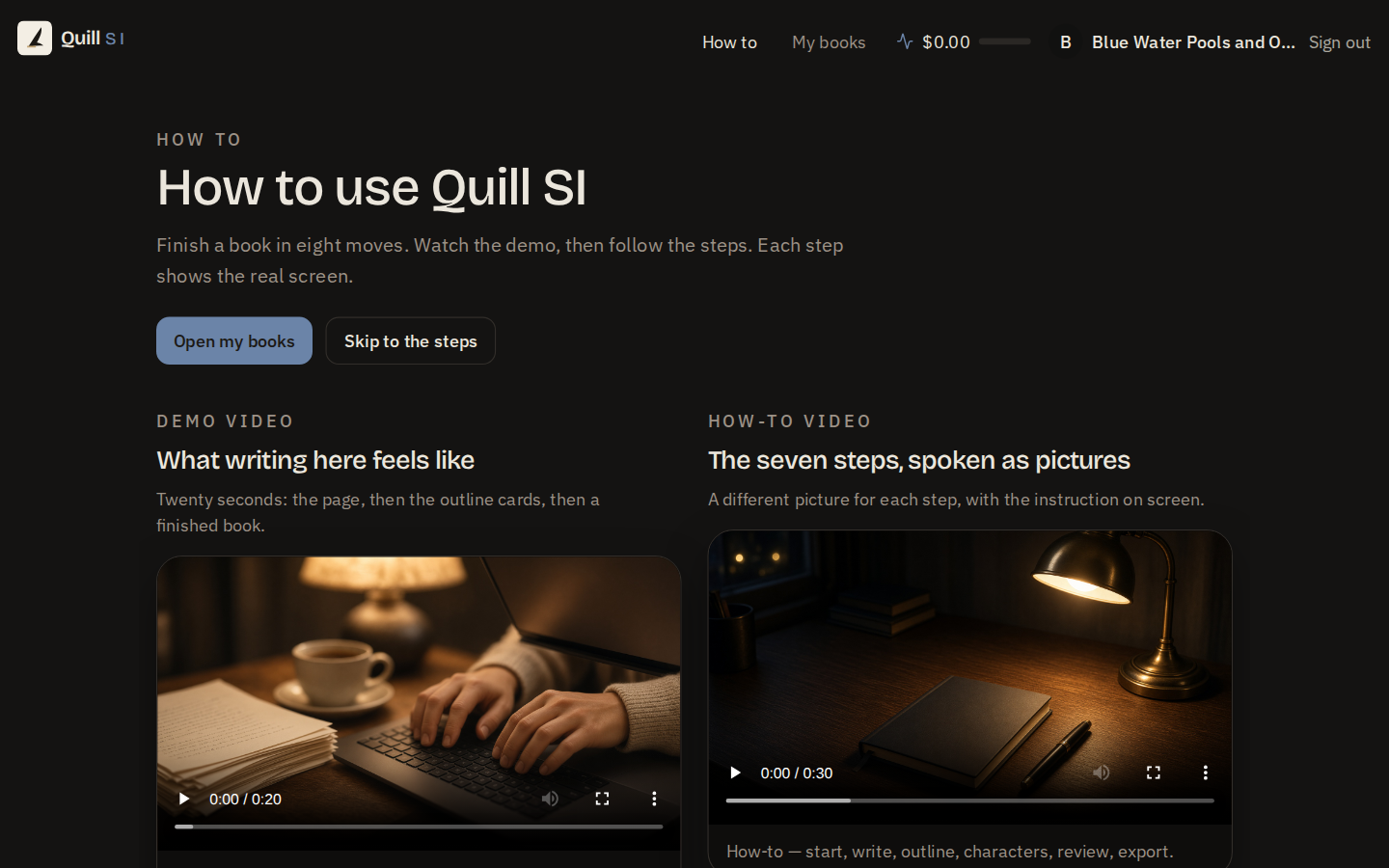
Where it stands
Deployed and running.
Quill is live. It packages with Social Studio rather than the standard Command Center bundle.
Open it yourself. The live app needs no sign-in, and it carries two short videos: a twenty-second demo of writing, outline cards and a finished book, and a thirty-second walkthrough of the seven steps.
What it catches
A continuity checker that reads the whole manuscript.
Quill flags leftover [TODO] notes, overused crutch words, a scene that isn't doing what its card says, a character who never actually appears on the page, dialogue that's out of a character's voice, names never defined, a story setup that never pays off, "later" with no real timeline, unexplained time jumps, and same-day travel that doesn't add up, plus a name-collision check for two characters whose names are too close. It also tracks POV balance, dialogue ratio, sentence length, and overused or filter words as you write.
Getting to publish
A planner for seven paths to published.
Amazon, wide and everywhere, bookstores and libraries, self-publish, finding an agent, serializing chapters first, or audiobook, each with its own platform guides (Amazon KDP, IngramSpark, Draft2Digital, Apple Books, Kobo, and more) and a 26-step checklist filtered to the path chosen. Quill also generates a query letter, a one-page synopsis, and a one-sheet, and works out royalties by platform and price, plus print page count, cost, and spine width for a physical book.
Writing with an assistant
Ask it, or click the button, both work.
An assistant panel inside the writing tool takes a typed or spoken command or question, and can run any of 72 writing operations, every one of which also has its own button, so nothing the assistant can do is hidden from the writer. A usage meter shows what the assistant is spending, with a budget cap and pause/resume.
Getting your book out
Export to whatever you need next.
Markdown, Word (.docx), EPUB, HTML, plain text, print-ready PDF, or a JSON backup, with a book-look preview (title page and front matter) and compile controls for which scenes go in. Import works the other way too, pasted text, Markdown.txt, Word, or a Quill backup file. A sample novel is seeded on first sign-in, so a new writer never stares at a blank page. Quill installs on phone and tablet like an app.
Story bible and structure
More rooms for keeping a story straight.
Characters, places, rules, timeline
Keep a story bible of characters, places, rules and a timeline, and track promises, plotlines, beats and research.
Parts, chapters, scenes
Organize the book into parts, chapters and scenes, with act, status and comments for each.
Loose ideas, filed later
Jot down loose ideas and later file them into a scene.
A story bible across a series
Keep a story bible across a series and link books to it.
Writing sessions and versions
Goals, snapshots, and work that survives a dropped connection.
Goals, sessions, focus and sprints
Set word goals, log sessions, use focus and typewriter modes, and run timed sprints.
Snapshots, versions, paragraph compare
Save snapshots and versions, compare what changed paragraph by paragraph, and undo up to 40 steps.
Offline changes queue and sync
If you lose connection, your changes queue on the device and sync later without overwriting newer work.
Import with a preview
Import from Markdown, Word, a Quill backup or a Scrivener project, and preview the changes before applying them.
Local grammar and spelling checks
Run grammar and spelling checks on a chapter, with your own dictionary and ignore list.
Sharing, publishing, and audio
Readers, submissions, a sales page, and a narrated book.
Share a link, collect suggestions
Share a manuscript with a reader by link, collect comments and suggestions, and accept or reject each one.
Submissions, letters, cover and marketing
Track submissions and their status, keep your letters, and set cover design and marketing kit details.
A book product and sales page
Add a book product and publish or unpublish a sales page for it.
Audiobook narration, with a connected voice
Estimate an audiobook's cost, preview a voice and start narration jobs; it needs a connected voice provider.
Against the writing tools you may already use
Quill against Scrivener, Atticus, and Dabble.
Each of these is a capable writing tool with its own strengths. This table lists what each vendor's own page says it offers, next to what Quill offers today. Where a vendor's page is silent on a capability, the cell says so; that is not a claim that the capability is missing.
| Feature | Quill | Scrivener | Atticus | Dabble |
|---|---|---|---|---|
| Where you can write: browser and installs on a phone or tablet like an app | Yes | Mac, Windows and iOS listed; browser not stated on its page | yes: browser-based app, plus Mac, Windows, Linux and Chromebook | Not stated on its page |
| Export formats | Markdown, Word, EPUB, HTML, plain text, print-ready PDF, JSON backup | Word, RTF, PDF, ePub, Kindle, HTML, LaTeX and more | EPUB, PDF, DOCX | Web, Word, Google Docs |
| A continuity checker that reads the whole manuscript (leftover notes, crutch words, out-of-voice dialogue, unpaid setups, time jumps) | Yes | Side-by-side document view for checking by hand; an automatic check is not stated on its page | Not stated on its page | Not stated on its page |
| Writing goals and targets | Yes | yes: word or character targets for a manuscript, a section or a session | yes: writing goals and habit tracker | yes: daily word count goals |
| Character, plot and story-planning tools | Yes | Not stated on its overview page | Not stated on its page | yes: character profiles, plot grid, worldbuilding bible |
| A relationship map between characters, inside the same book | Yes | Not stated on its page | Not stated on its page | Not stated on its page |
| A publishing planner: seven paths, platform guides, checklist, query letter and synopsis | Yes | Not stated on its page | Not stated on its page | Not stated on its page |
| An assistant that can run every writing operation, each of which also has its own button | Yes | Not stated on its page | Not stated on its page | Not stated on its page |
| Cloud sync or backup of your books | Sign in with Google, X or email; your books are stored per writer | Dropbox sync | Automatic cloud backup | Cloud backup and sync |
Competitor entries read from each vendor's own page on 2026-09-21. Quill entries drawn from its capability catalog.