
 STINGER SOCIAL STUDIO
Your people in the post, with their yes first.
Social Studio writes and lays out your posts, and can put a real person in them: a camera-real digital clone built from that person’s own photos. It clones nobody until they agree, and the photos never leave the device.
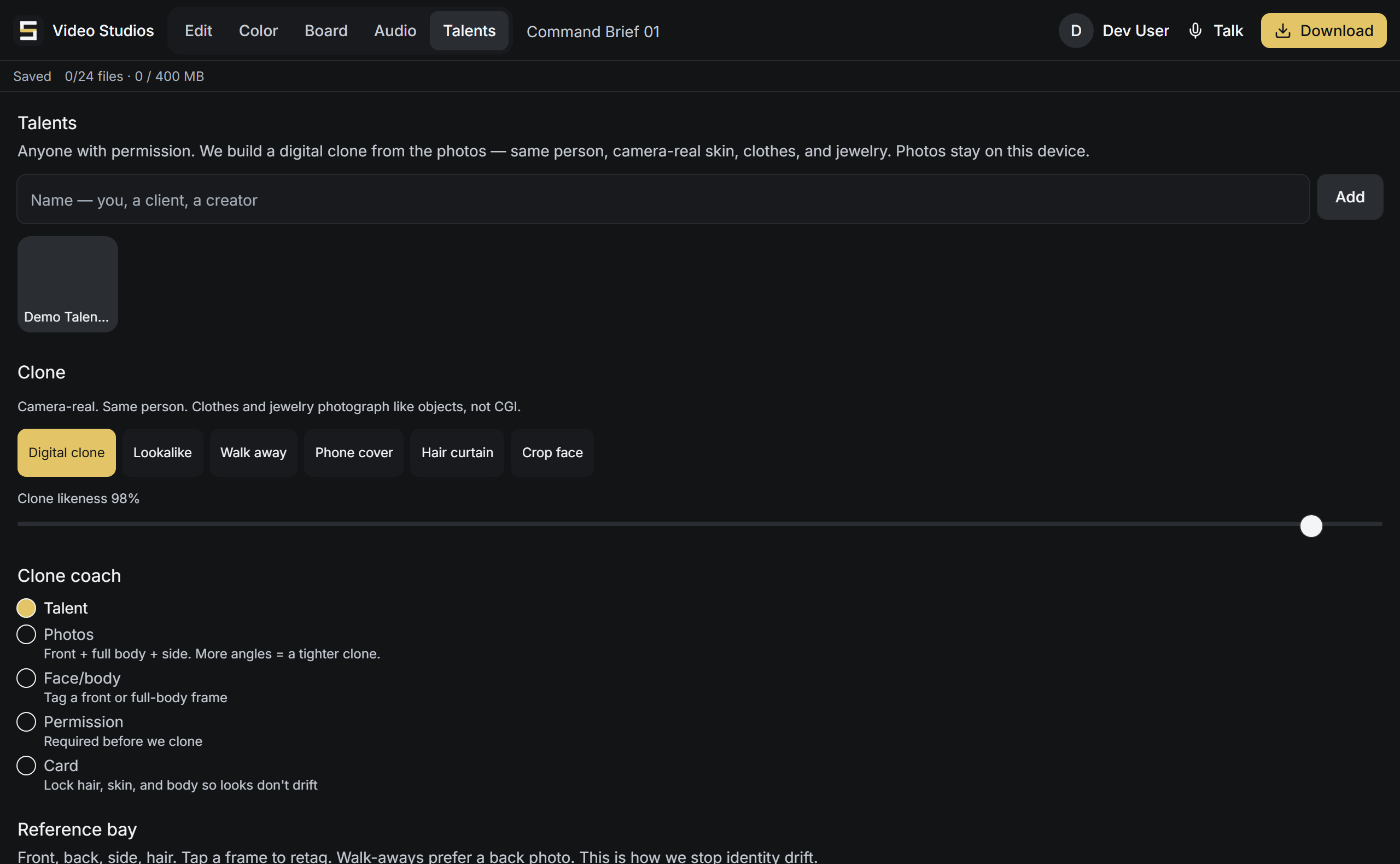
Talents
A camera-real clone, built from photos, of a person who agreed to it.
Add a Talent, you, a client, a creator, anyone you have permission to feature, and Social Studio builds a digital clone from a few photos: the same person, camera-real skin, clothes, and jewelry, ready to appear in a post without a shoot every time. More angles (front, full body, side) make a tighter clone, and the photos stay on your device.
The Talents panel
Planning and sending
Connect your accounts, plan the calendar, watch what lands.
Connect your social platforms, build posts on a content calendar, and schedule them ahead of time, or unschedule and requeue one whenever plans change. A post keeps an asset library of its own media. Once it's live, pull the analytics and metrics back into Social Studio and refresh them; if a post fails to send, it's marked and can be retried with a requeue.
The rules it keeps
Permission before we clone
The Talent card will not build a clone until permission is set, a step in the flow with its own explicit check, not fine print.
Faceless if they prefer
Walk away, Phone cover, Hair curtain, or Crop face, a person who will not show their face is still in the content, their way.
The photos stay put
The reference photos stay on the device that added them; the clone is built from them without shipping them off.
How it compares
Social Studio against a stock-avatar tool.
Most tools give you a generic AI presenter and upload your files. Social Studio features your real people, with their consent, their photos kept on the device, and offers faceless options for those who want them.
| Feature | Social Studio | A stock-avatar tool |
|---|---|---|
| Builds a camera-real clone of a real person from their photos | Yes | no: a stock avatar or a generic AI presenter |
| Requires the person’s permission before it clones them | Yes | Varies; consent often assumed |
| Faceless options for a person who will not show their face | Yes | No |
| Photos stay on the device; runs on the assistant that knows the business | Yes | Uploads to the vendor; standalone tool |
Competitor description drawn from common product behavior, 2026-09-11. Verify before treating as evergreen.
The post screen
A post pack, a channel book, and a hook out.
A ready post pack, not an auto-post
The post screen gives you a ready post pack to copy, caption files (SRT or VTT) to download and a still to save; it does not post anything itself.
One place for eight platforms
Keep each platform's channel details and a send-to address in one place for eight platforms: YouTube, TikTok, Instagram, Facebook, X, Threads, LinkedIn and Pinterest.
Send to your own Zapier hook
A post pack can be sent to a Zapier hook you provide, and the screen tells you if the hook rejects it; that does not prove the platform accepted the post.
A simple profile page
Build a simple profile page with your name, bio and links.
Keeping the record
Logging comments, visuals, and who wrote what.
Log comments, draft a reply
You can log comments and numbers by hand and have Annabelle draft a reply you post yourself.
Visual boards and a simple timeline
Keep visual cards with notes, pair them, and lay clips on a simple timeline.
Who wrote which field
The desk keeps track of who wrote each field, you or Annabelle.
Export the desk, keep snapshots
Export the whole desk as a file and keep named snapshots you can go back to.