
Trade library · Service
Pool Service
What the platform does for a pool service company: it runs the route, the chemistry, and the billing on one record, on screens built for this trade.
What it does for you
- Runs a weekly route as a board of stops, each with a customer, a crew, and a visit record.
- Keeps water chemistry on the record per stop, so the reading and the dose are logged, not remembered.
- Works offline in the field and syncs the stop when the crew is back in range.
- Turns serviced stops into billing without a second pass.
Your Command Center, in your words
Pool Service has its own configuration.
Stinger is one system, not a different product per trade. What changes is the configuration it runs on: the words on the screen, the columns on the board, the stages a job moves through, and the rules that decide what comes first. This is the Swimming pool service configuration, as it ships.
The words on the screen
- A piece of work is called
- Stop
- An incoming call is called
- Service customer
- The board is called
- Route board
Job types: Service call, Weekly route, Repair, Resurfacing.
The columns on your board
- Fix
- Move
- Rebook
- Ready
An incoming caller is a pool customer - service line.
The stages a job moves through
- Captured
- Qualified
- Scheduled stop
- Serviced
- Billed
The rules that decide what comes first
- Recurring plans create route stops
- Route gaps outrank new quotes
- Repairs require owner approval before dispatch
The price list it starts with
- Service call
- $165
- Chemical delivery
- $310
- Heater repair
- Estimate
These are example figures, not our prices. They are what the configuration ships with so the screens are not empty on day one. You set your own.
Questions she is set up to answer
- What is included in weekly service?
- When is a repair estimate needed?
- Can a route stop be moved?
Recurring plans dominate; the pipeline is a route, not a bid list.
How you get it: tell us your trade and we set the configuration up with you during onboarding. See every trade's setup questions side by side.
How it differs
Backed by a deep pool-service vertical config: its own brand kit, KPIs (calls, stops, billed), pipeline, and price list. Pool service is one of only two trades with a dedicated, hard-themed screen set, shown below.
Build stages and phases
Route board service
- Captured
- Qualified
- Scheduled stop
- Serviced
- Billed
Vocabulary the trade actually uses
- stop
- route board
- weekly route
- service call
- repair
- resurfacing
- chemistry
- chemical delivery
- service customer
The screens
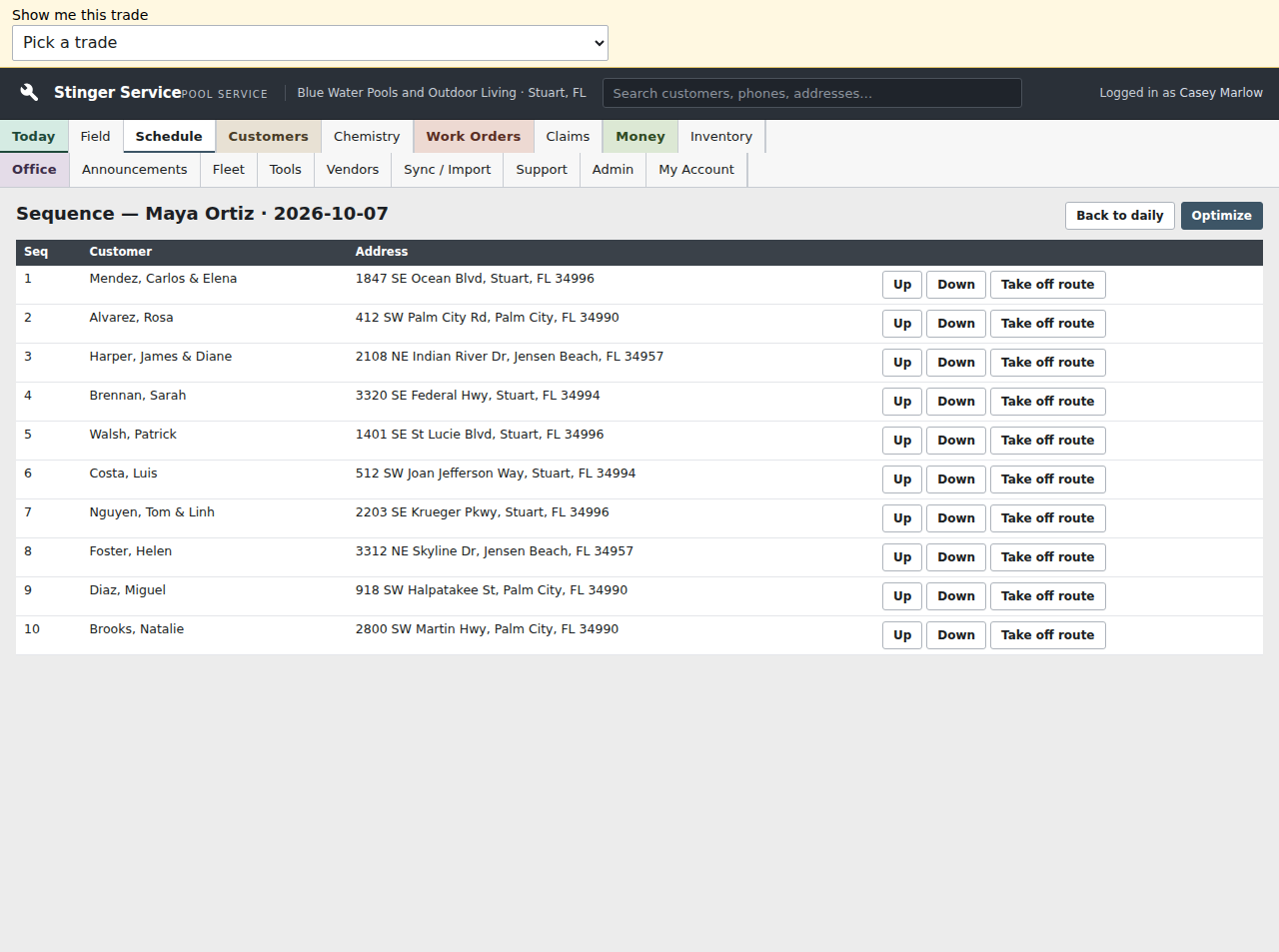
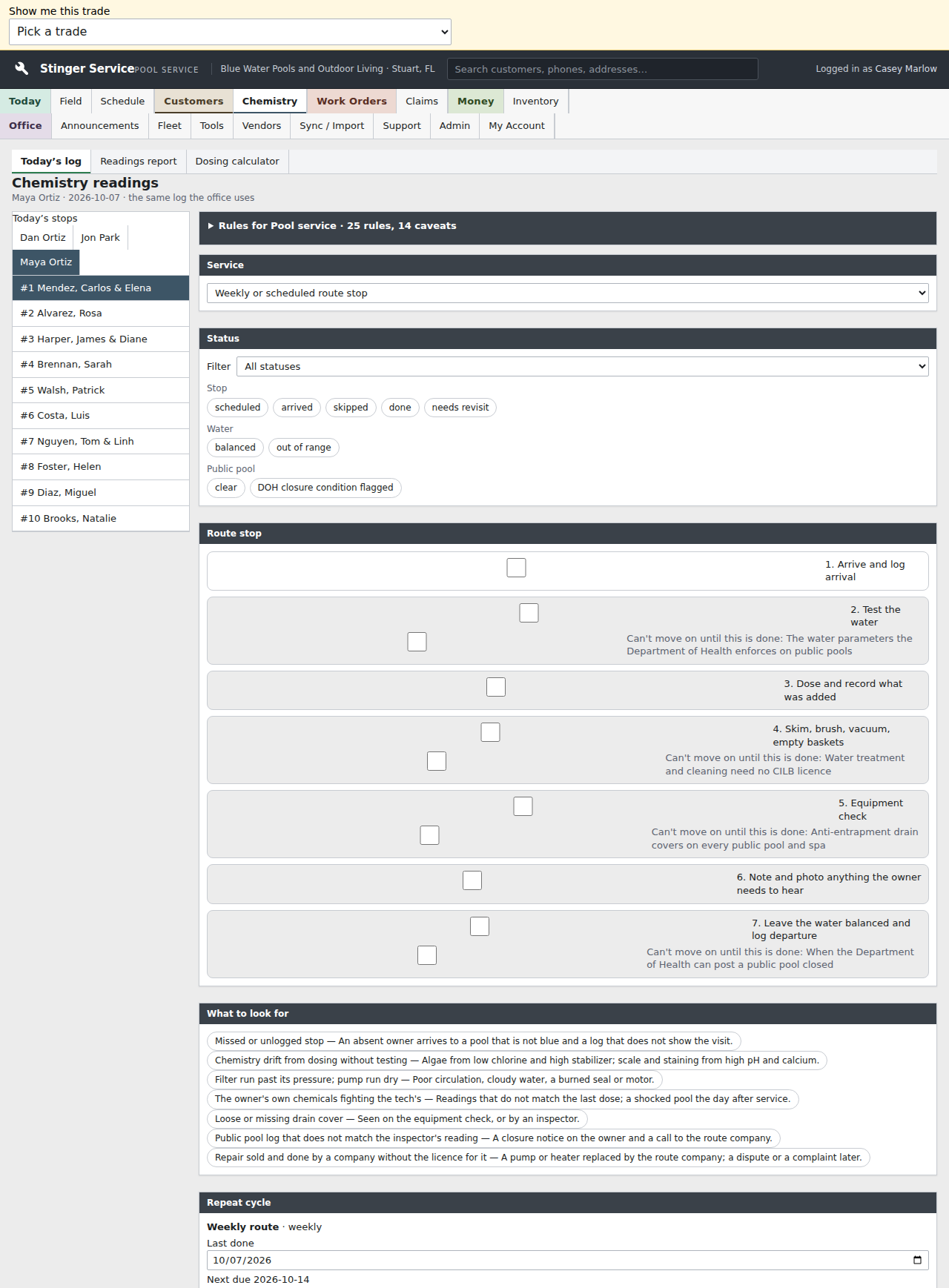
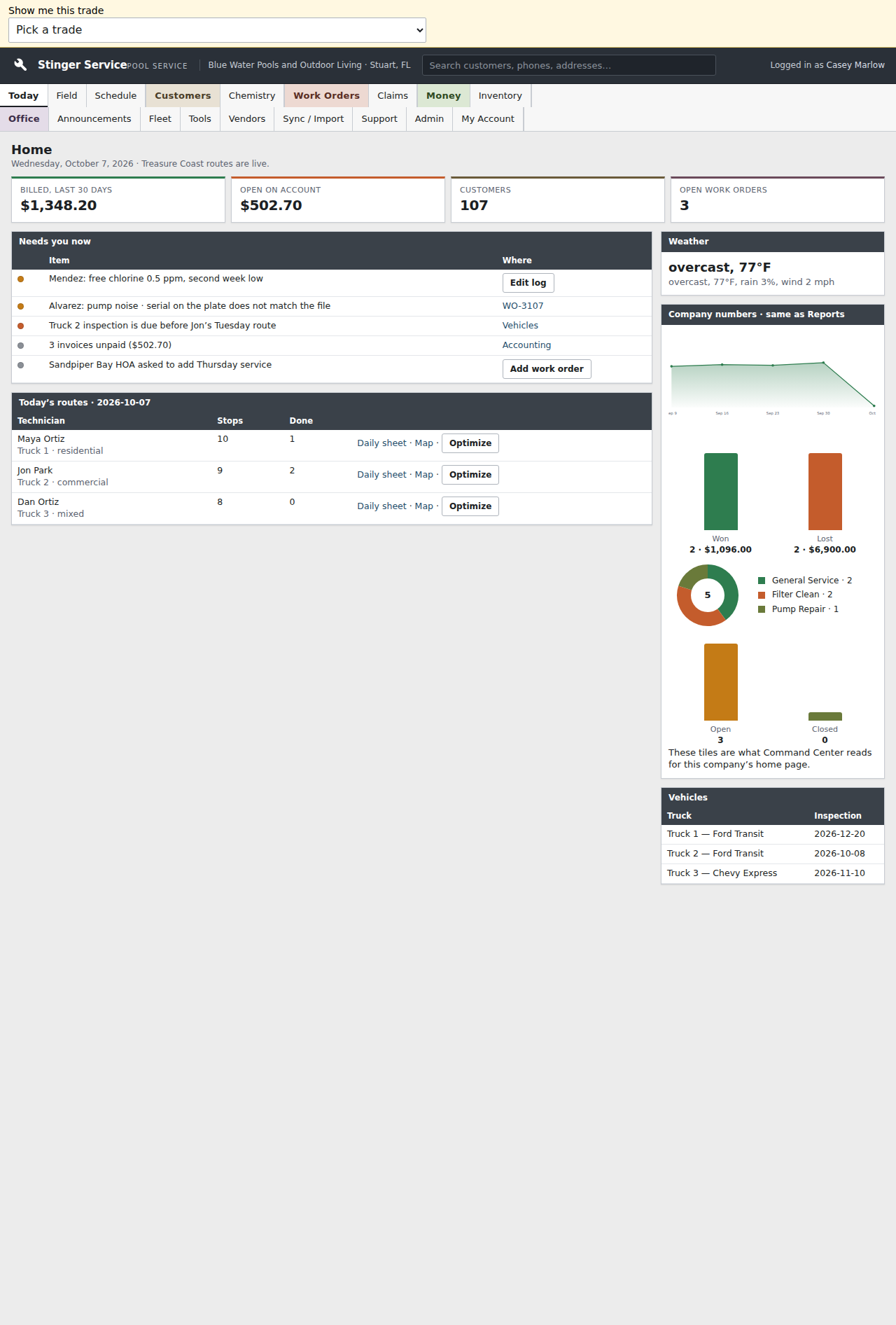
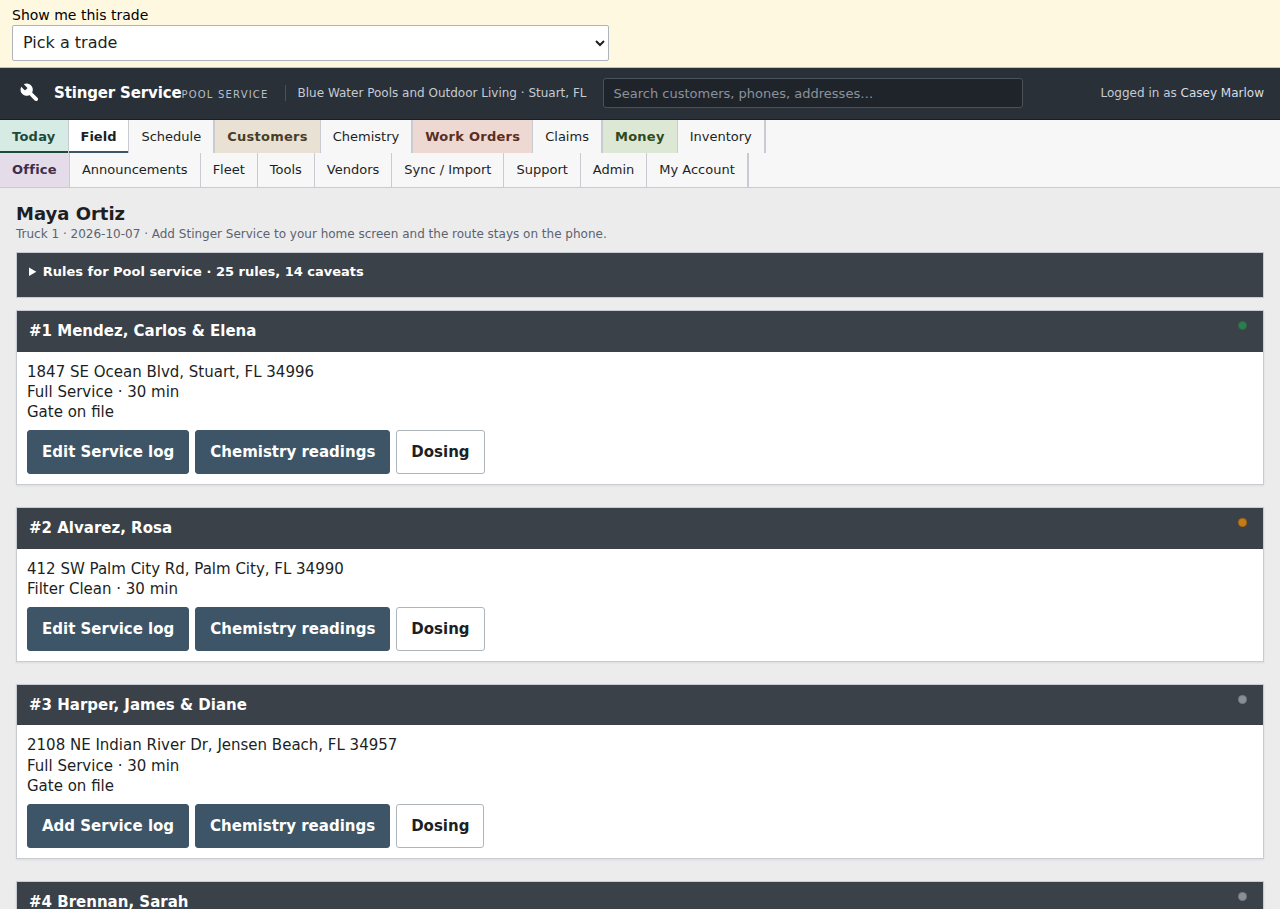
These are the dedicated pool-service screens, one of only two trades with a hard-themed screen set of its own. Every other trade runs on the shared service, build, and command screens.
Where it stands today
The most fully built vertical: a dedicated screen set, a deep config, and its own pipeline and price list.
Talk to Vincent
Want to see it configured for your work?
Call or text (772) 529-4144 or email StingerIndustries1@gmail.com. He answers the phone.