
Trade library · Build
Painting
What the platform does for a painting company: it turns a walkthrough into a scoped estimate, a scheduled crew, and a paid invoice.
Florida licensing and compliance guidance for this trade is in build. This page covers the workflow.
What it does for you
- Quotes by surface square footage, number of coats, prep condition, and access.
- Schedules the crew and keeps interior and exterior jobs on separate, trackable records.
- Attaches prep and finish photos to the job so the coating system is on the record.
- Raises the invoice and tracks payment per job. Sending by email needs your mail key; until then you send it from your own mail.
How it differs
Painting has a thin starter knowledge pack only, graded unverified. This page publishes the workflow and nothing about licensing, permits, or lead-paint rules, on purpose.
Build stages and phases
Paint job (day to day) build
- Walkthrough
- Scoped estimate
- Schedule crew
- Prep
- Coat
- Photo record
- Invoice
Vocabulary the trade actually uses
- interior / exterior
- coats
- prep
- pressure wash
- scrape
- prime
- coating system
- cure / recoat window
- access
The screens
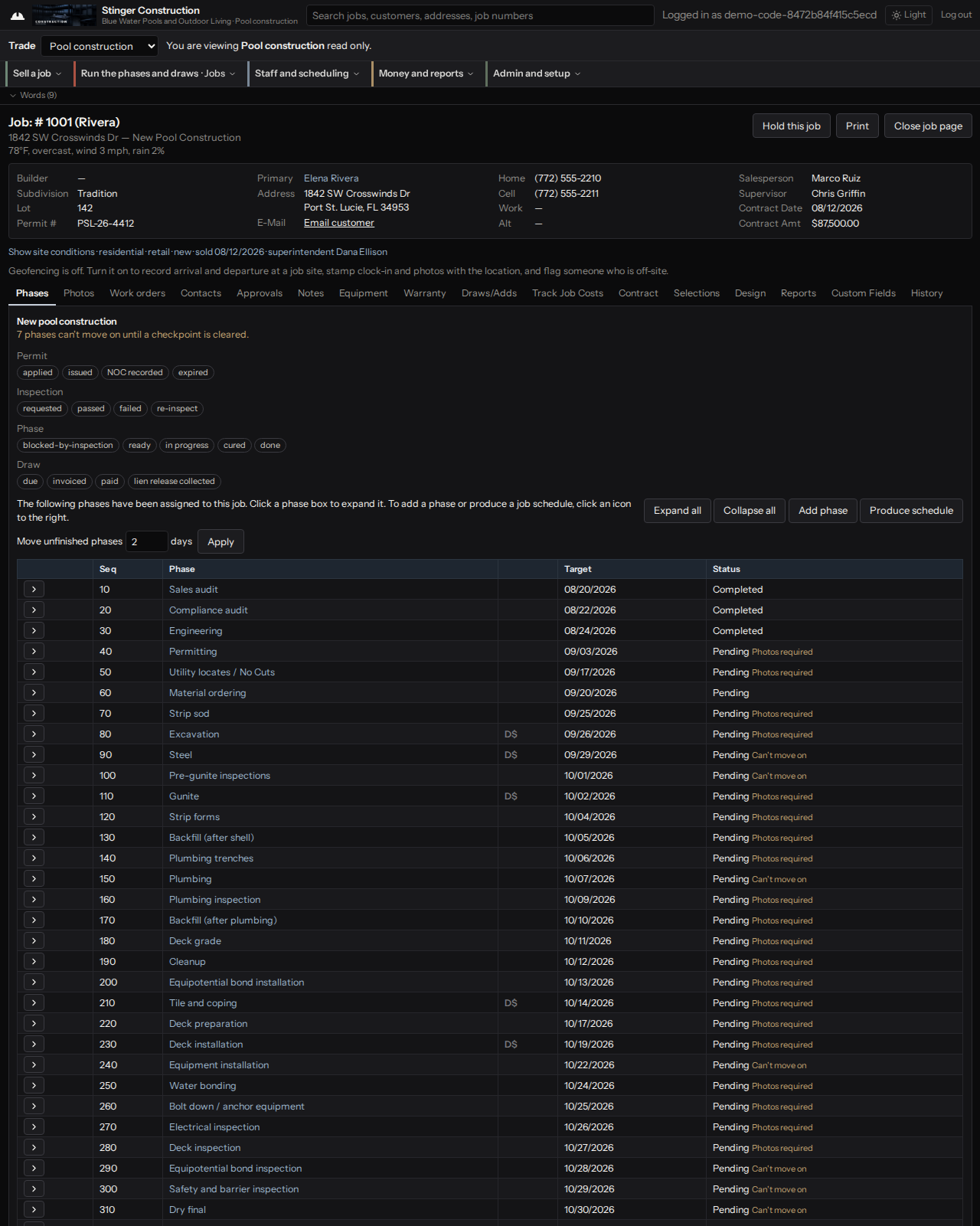
The screens above are the shared dashboard the app renders for every trade. The service, build, and command screens are the same across trades. What changes for this trade is the licensing, compliance, stage sequence, and vocabulary on this page, not the screen layout.
Where it stands today
Workflow only. The estimate, crew, photo, and invoice flow is live on the shared build screens. There is no painting trade_config yet.
Talk to Vincent
Want to see it configured for your work?
Call or text (772) 529-4144 or email StingerIndustries1@gmail.com. He answers the phone.