
Marketing & Media · Stinger Cut
Cut job footage into short video.
Stinger Cut turns the clips and stills you already shoot on the job into short video: edit on a timeline, grade the color, set the audio, then hand the cut to the social composer. It is for trades and service companies, from HVAC, plumbing and roofing to cleaning, auto shops and salons, and just as much for hospitality: restaurants, bars and nightclubs, hotels, caterers and event venues. Entertainers and creators too.
Early access: the timeline, color grading, audio, the walkthrough, and server rendering are running, so you can export a finished file. The screens below are real captures of the app, not a mockup. Publishing a finished cut to a live account is records-only until you connect a real platform account, the same as the social composer.
What it does for you
- Lay clips and stills on a timeline and trim them into a vertical, short-form cut.
- Grade the color with scopes and the primary wheels, so a phone clip looks finished.
- Set the audio with a three-band EQ, a mix preset, and a limiter.
- Add on-screen titles and captions to the cut.
- Hand the finished cut to the social composer to schedule.
The screens
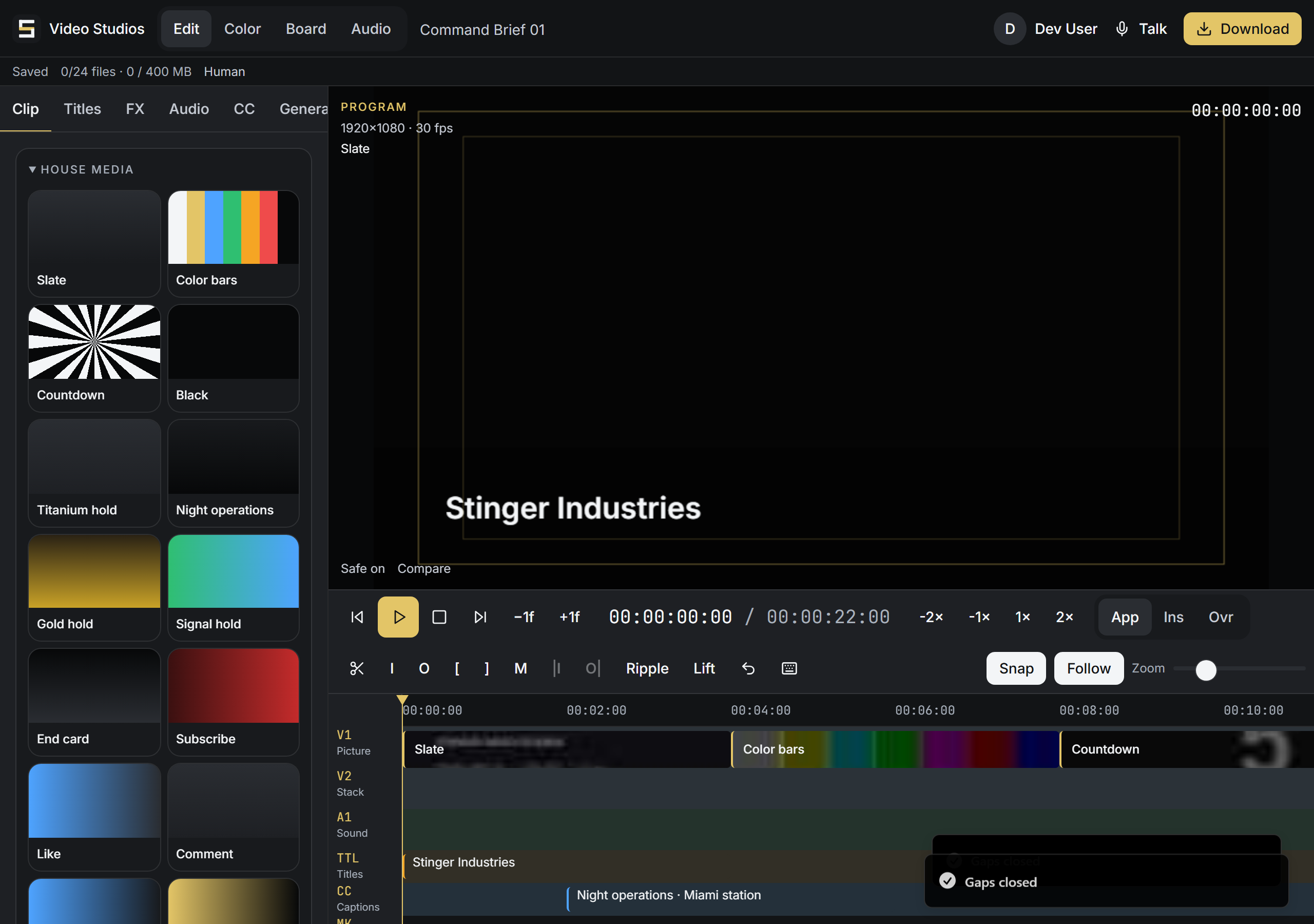
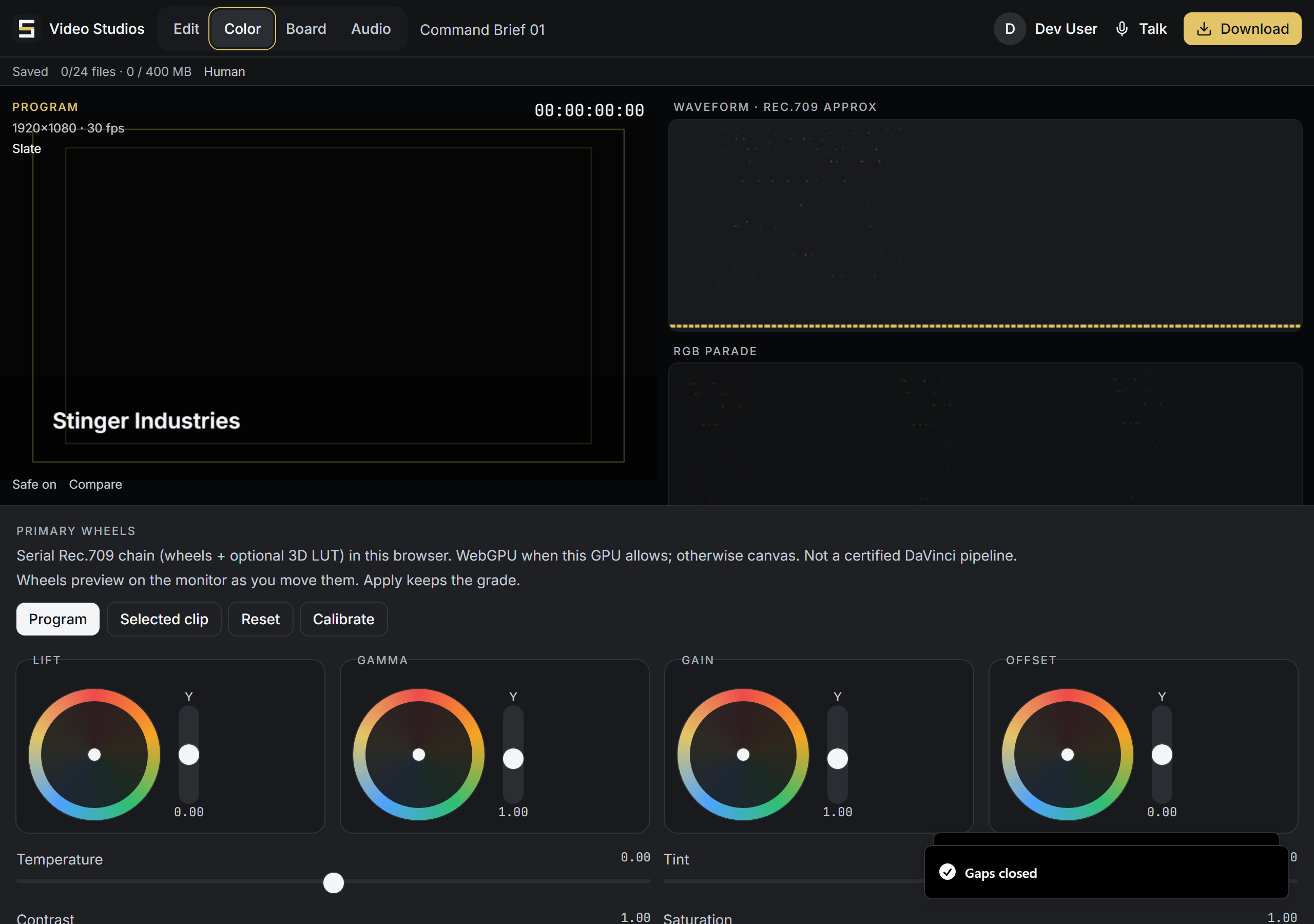
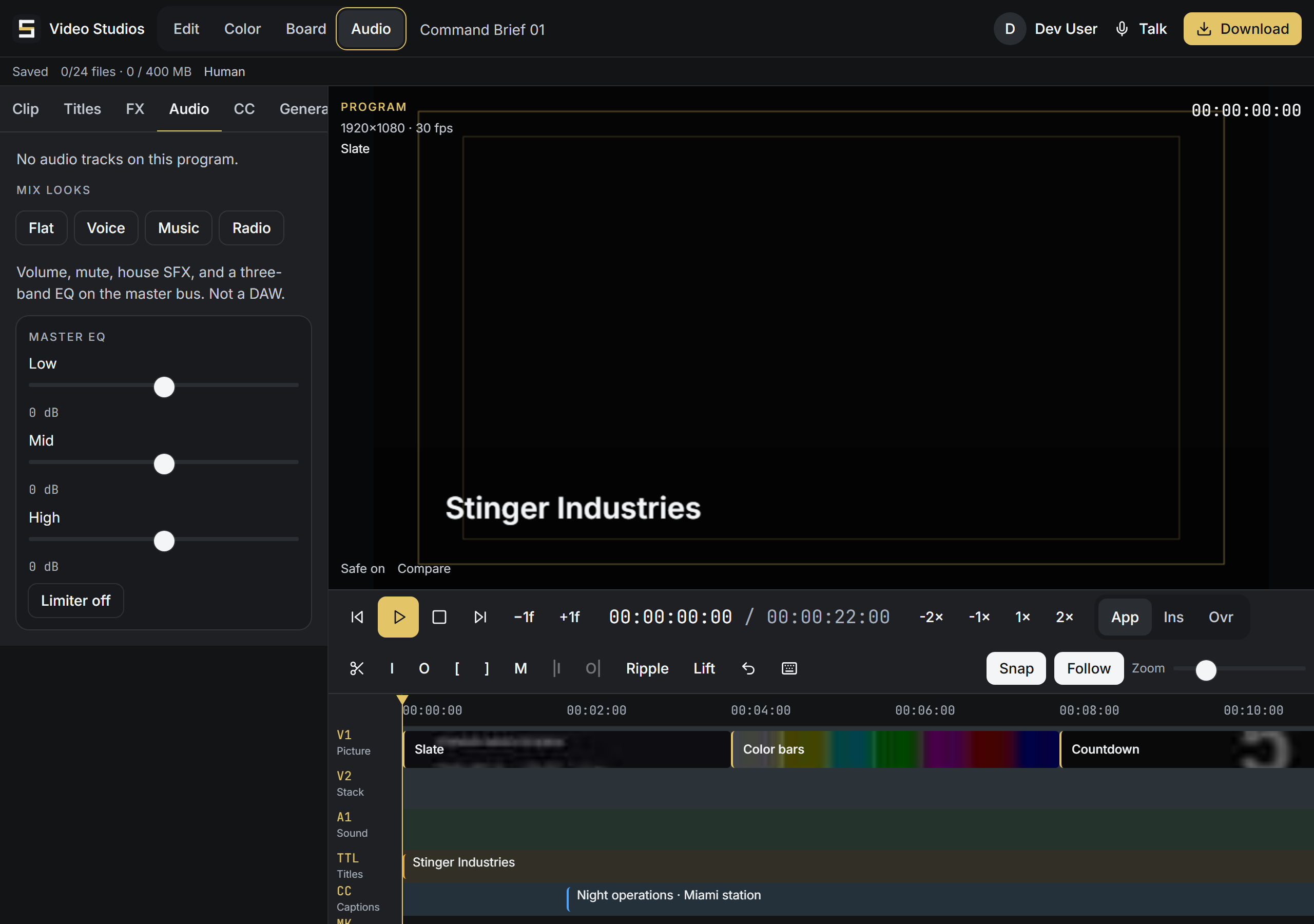

These are the real Stinger Cut screens. The same timeline, color desk, and audio desk serve every trade.
Included
Included with every Command Center tier.
Stinger Cut comes with every Command Center tier at no extra cost. No per-seat charges. Add your whole team.
Compared to what it replaces
Stinger Cut vs CapCut and Premiere.
| Feature | Stinger Cut | CapCut | Premiere |
|---|---|---|---|
| Cut on a timeline | Yes | Yes | Yes |
| Color grading with scopes | Yes | No | Yes |
| Audio EQ and mix presets | Yes | No | Yes |
| Runs on your business records | Yes | No | No |
| Hands the cut to the social composer | Yes | No | No |
| Server rendering | Yes | Yes | Yes |
| Included with every Command Center tier | Yes | No | No |
| Charged per seat | No | Yes | Yes |
CapCut and Premiere edit video. Stinger Cut edits video and runs on the same customer records as the rest of your business, then hands the cut straight to the social composer.
Get started
Cut your job footage into short video.
Call (772) 529-4144 or email StingerIndustries1@gmail.com. He will tell you honestly where it stands the week you ask.